
Nonprofits
Upgrade, Survey, Tune
Replacing eight aging access points at Audubon's NYC headquarters — and using heat mapping to confirm the new ones were in the right places.
The Upgrade
The upgrade
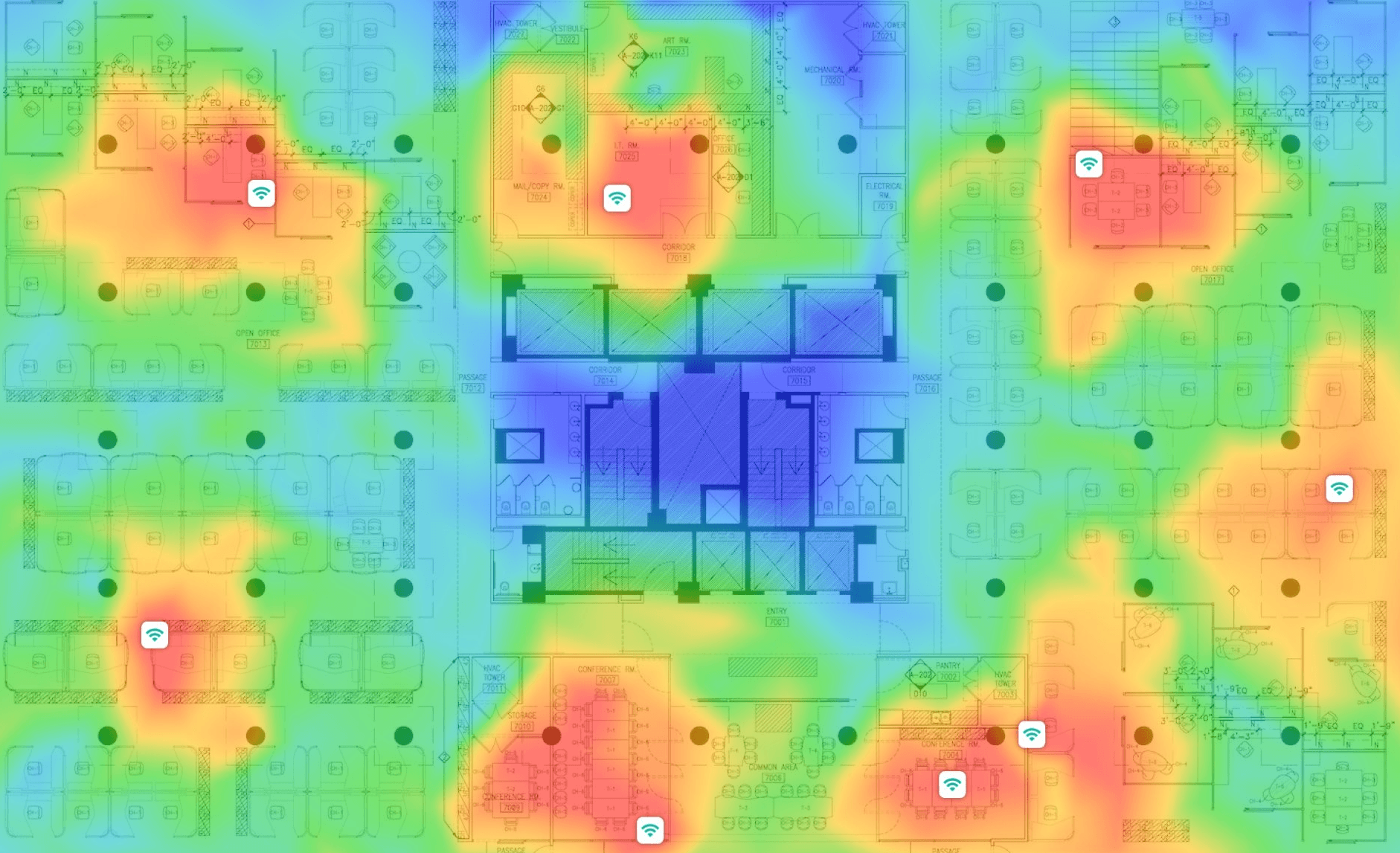
Audubon's New York headquarters runs on a UniFi wireless infrastructure managed by RSystems. The existing fleet of eight access points had reached end of useful life — newer hardware offered meaningfully better performance across 2.4, 5, and 6GHz, with improved multi-gigabit backhaul support and stronger performance in dense RF environments like midtown Manhattan.
We replaced all eight APs with new UniFi hardware, re-cabling where needed to ensure each access point retained its multi-gigabit wired uplink. Once the new hardware was online and enrolled in the controller, we walked the floor with a spectrum analyzer to see what we'd actually built.
The Survey
The survey
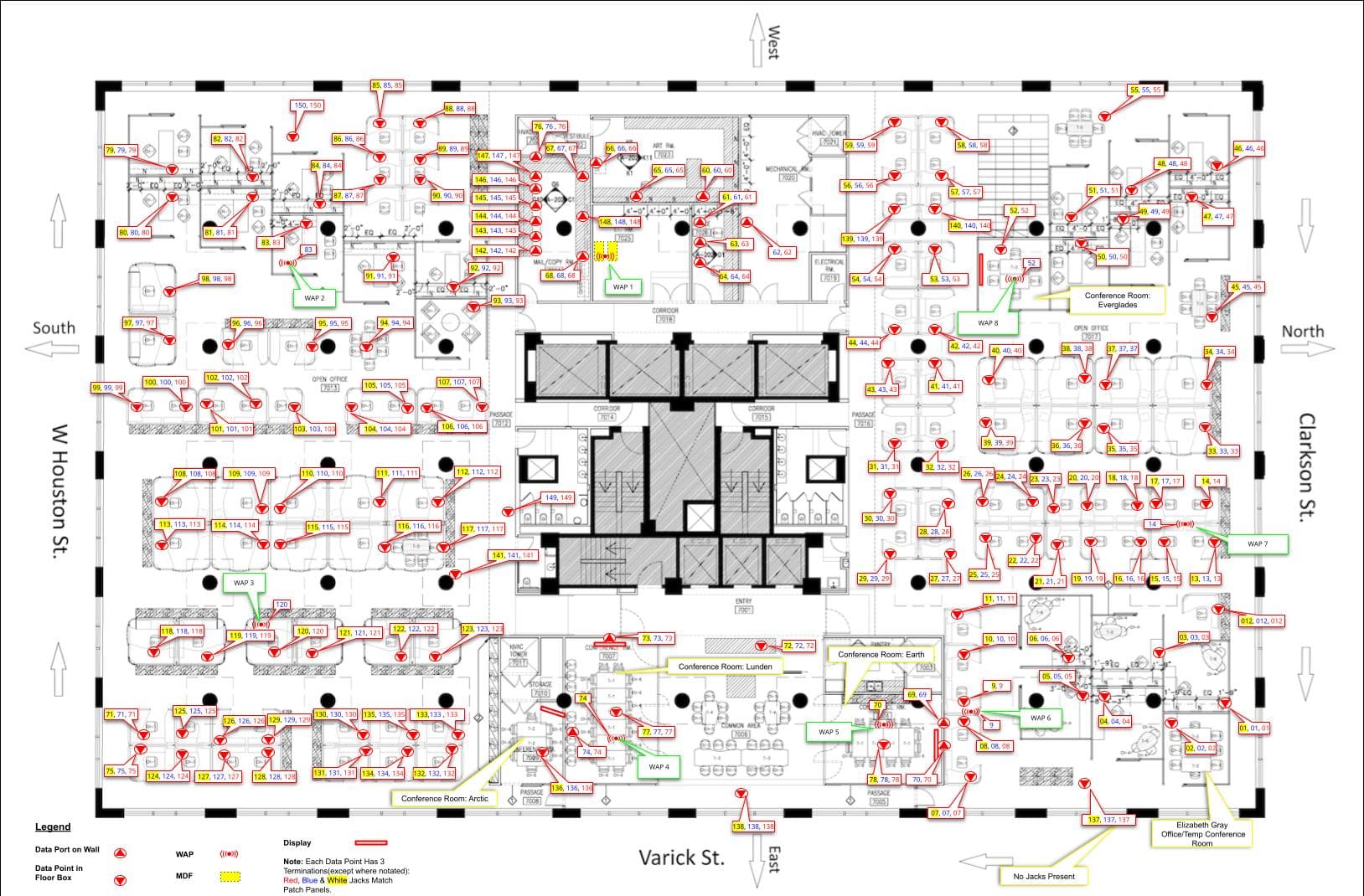
We conducted a full wireless heat map of the floor using NetSpot, walking a calibrated zigzag pattern across the entire space with a 6GHz-capable laptop. The methodology matters here — zigzag movement with overlapping sample areas produces real measured data at every point rather than the interpolated guesswork that straight-line walking creates. We ran the survey during working hours to capture the RF environment as it actually exists, with neighboring networks active and devices connected.
The output was heat maps for each frequency band — raw signal strength (RSSI) and signal-to-noise ratio (SNR) — overlaid on a dimensionally accurate floor plan with each AP labeled and located.
What the Data Showed
What the data showed
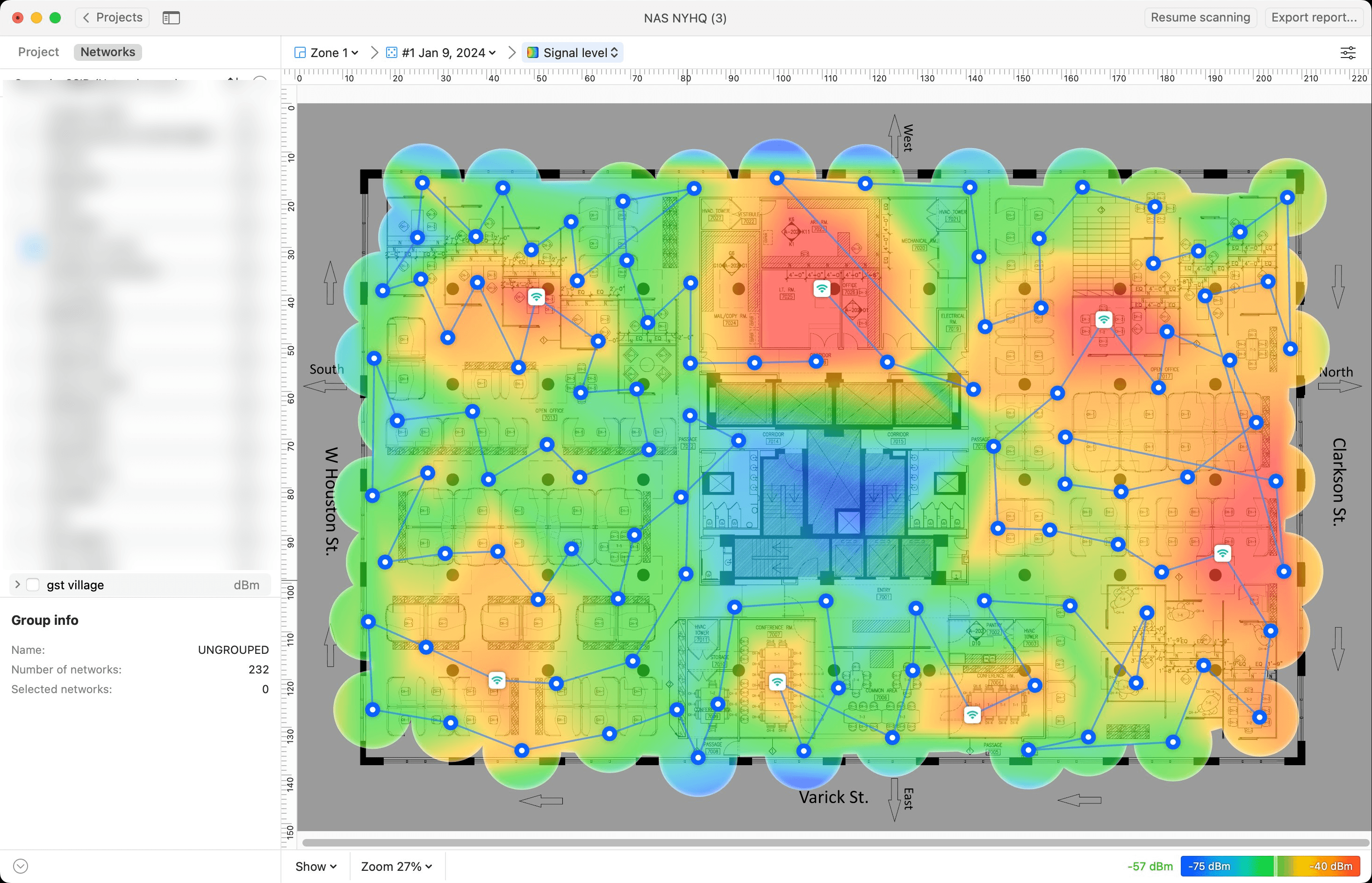
5GHz coverage had a gap in the southwest corner of the floor. The new APs were providing good coverage across most of the space, but weaker signal in that area — a function of how the initial placement distributed coverage. All APs were already broadcasting at high power. The answer was better positioning, not more power.
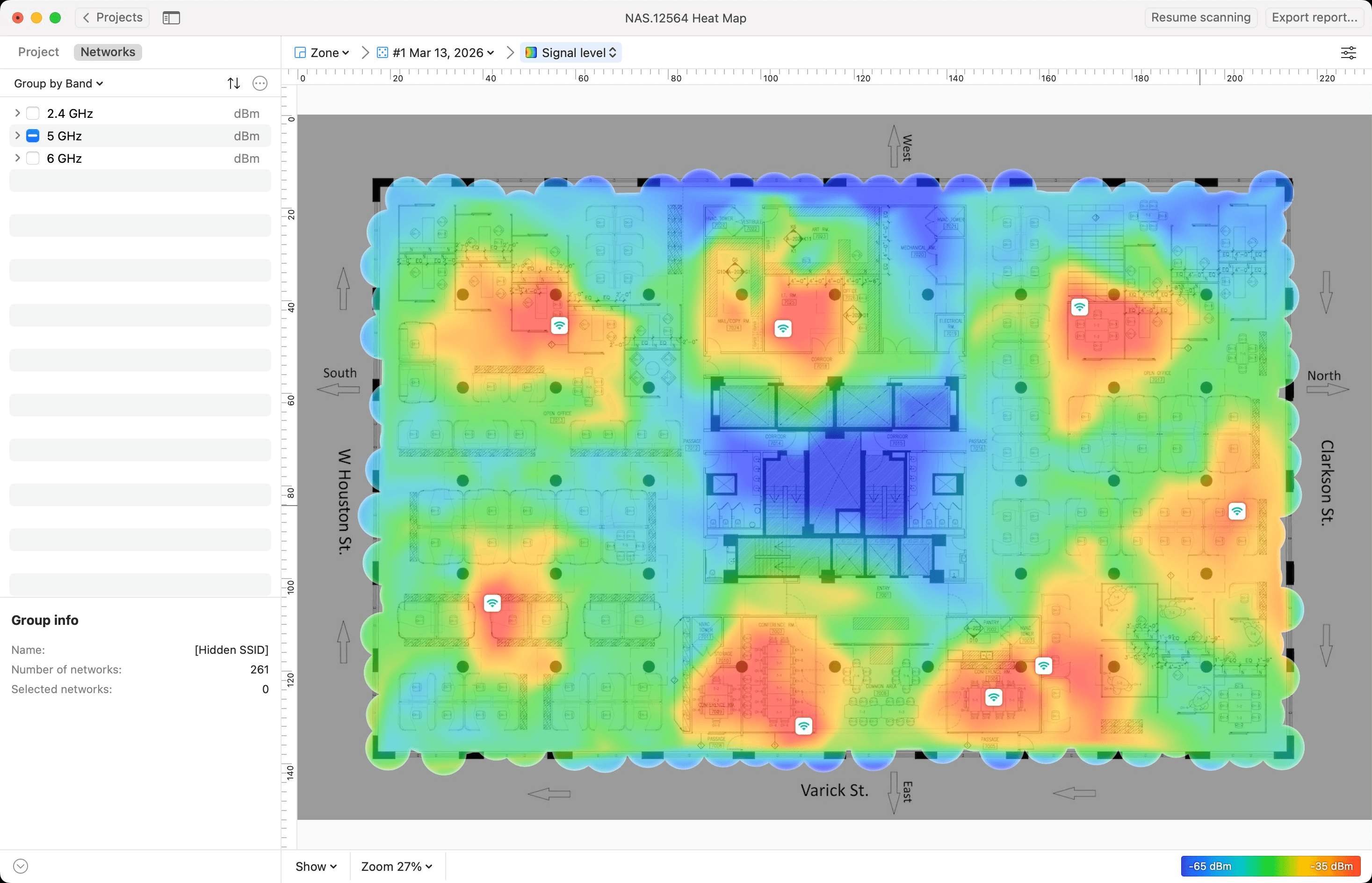
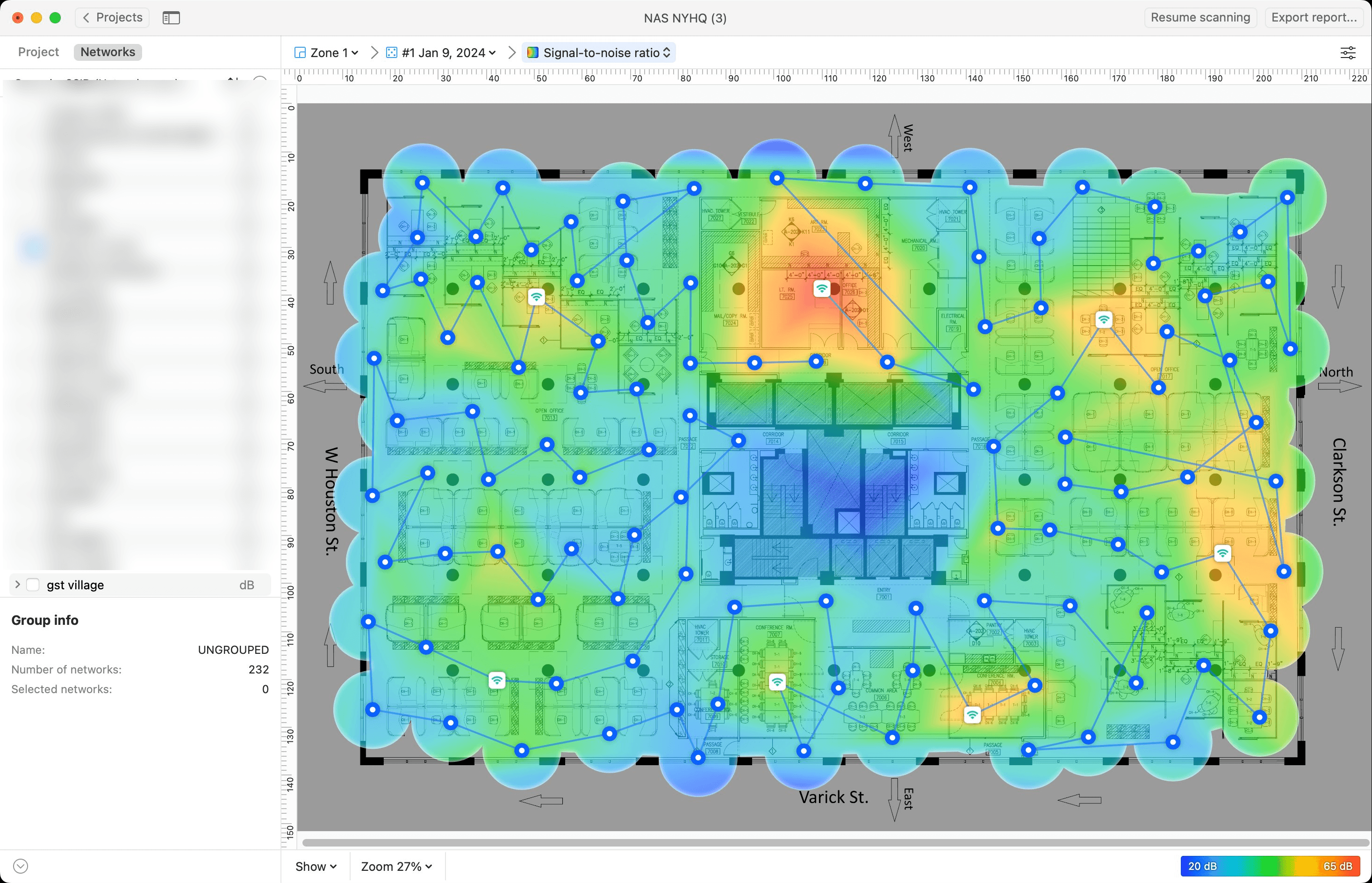
2.4GHz signal strength looked reasonable at first glance — adequate coverage across most of the floor. Raw signal alone is an incomplete picture.
When we examined signal-to-noise ratio — often the more meaningful metric for real-world performance under load — the picture was poor throughout. The scan found 70+ named WiFi networks visible from this floor, and several hundred more too weak to identify. This is the reality of 2.4GHz in dense Manhattan: a shared, congested medium regardless of how well your own equipment is configured. The finding confirmed that steering staff toward 5GHz and 6GHz wherever possible is the right direction.
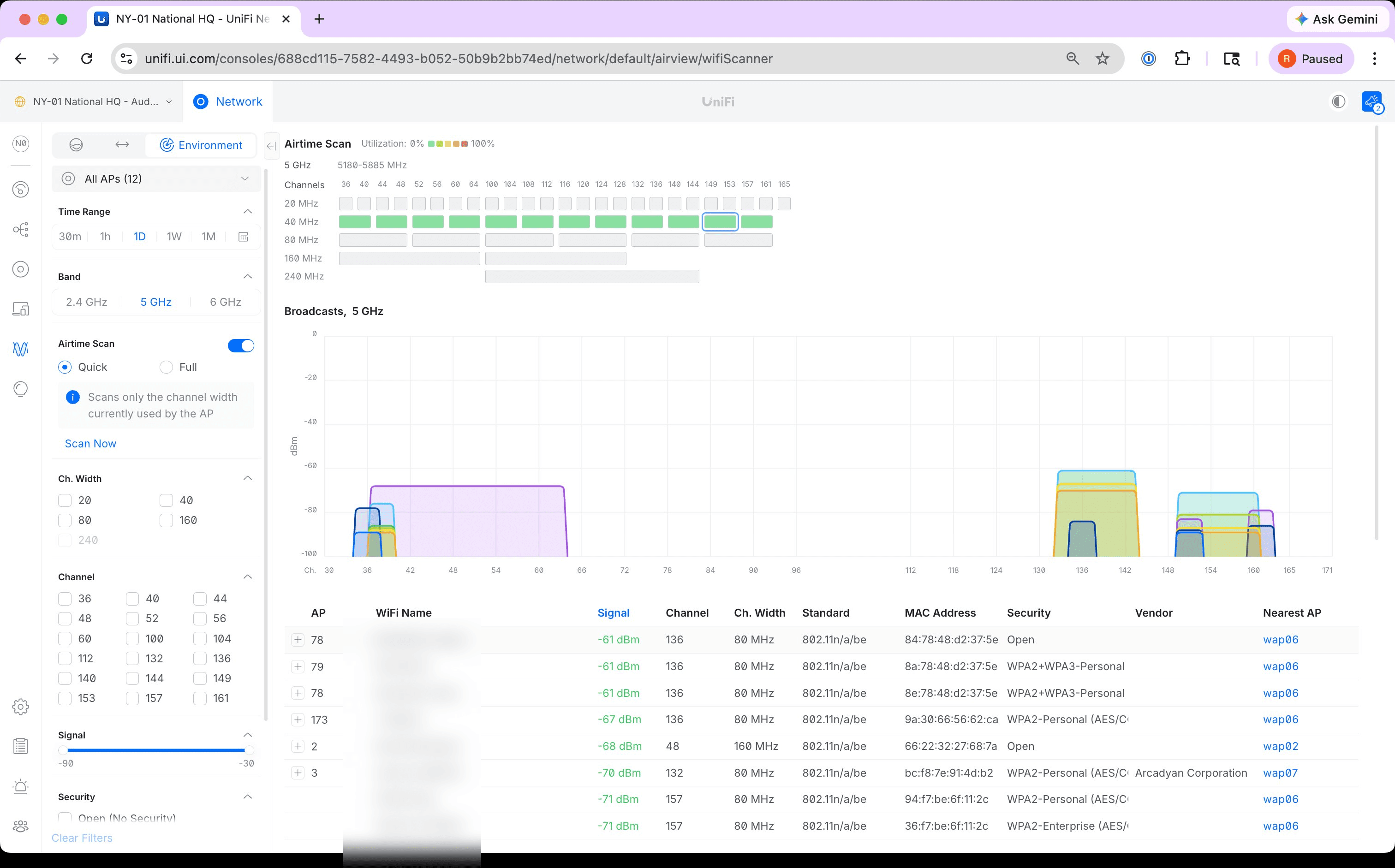
The background RF scan of 5GHz revealed a more specific problem: a neighboring tenant's access points on the floor above were broadcasting strong signals across channels we were using. At their loudest they registered at -61 dBm — extremely loud for a neighboring network — running 80MHz channel widths that consumed a meaningful slice of the available 5GHz spectrum. Our APs nearest that interference needed to be on channels as far from theirs as possible.
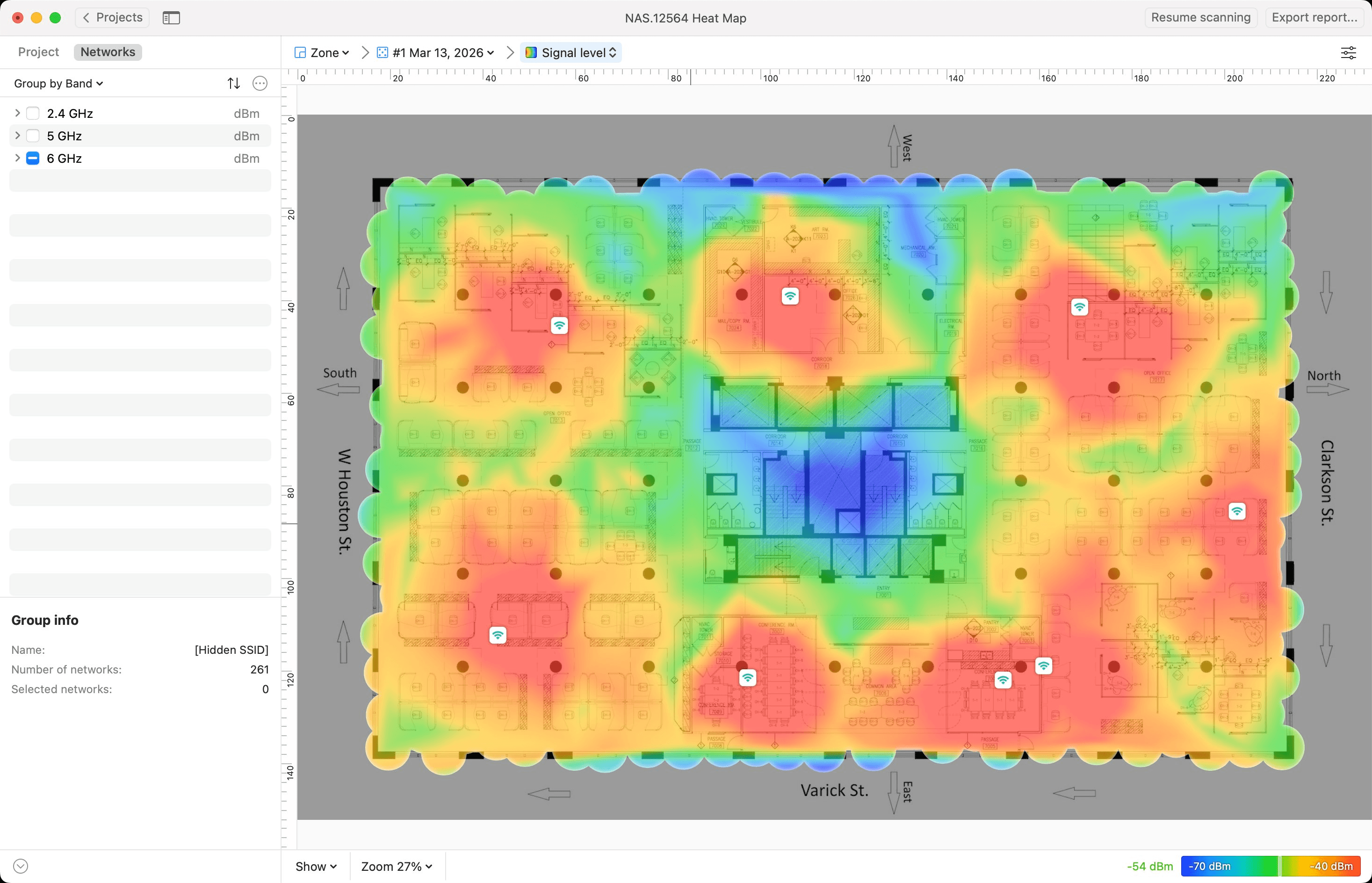
6GHz was clean. Near-zero external interference across the entire band. The Audubon Staff SSID is 6GHz enabled, and staff on 6GHz-capable hardware are operating in clear spectrum with no competition from neighboring networks.
The Adjustments
The adjustments
The survey data drove a focused set of changes. Four of the eight new APs were relocated to improve coverage distribution and address the southwest gap. Two additional APs were added at positions the heat map identified as coverage gaps that repositioning alone would not fully resolve — bringing the total to ten. Audubon's IT team handled the physical moves and cabling, with RSystems on a call for coordination and documentation.
With the hardware in its final positions, RSystems configured manual channel assignments across all ten access points — hardcoding 2.4, 5, and 6GHz channels on each AP so that the units nearest the neighboring tenant's interference operate on non-overlapping frequencies. Leaving channel selection to the controller's automatic logic does not account for a specific neighbor's specific interference profile. Manual assignment does.
A follow-up review confirmed improved 5GHz coverage with the southwest gap addressed, and validated excellent 6GHz coverage throughout — the cleanest band on the floor and the most headroom for future growth as 6GHz-capable hardware becomes standard.
The Result
The result
Ten access points, properly placed, properly channeled, with documented topology and a validated heat map on file. When the next round of hardware questions comes up, or a neighboring tenant changes their configuration, there is a baseline to compare against.
The heat map survey is not an optional step in a wireless deployment — it is how you confirm that what you installed actually does what you intended. Moving hardware is significantly cheaper before cables are run and APs are ceiling-mounted than after.
Outcomes
What we delivered.
- Eight aging access points replaced with new UniFi hardware with multi-gigabit wired uplinks
- Full wireless heat map conducted across 2.4, 5, and 6GHz bands using calibrated zigzag methodology
- Southwest 5GHz coverage gap identified and resolved — four APs repositioned, two added, fleet brought to ten
- Manual channel assignments hardcoded on all ten APs to avoid neighboring tenant interference on 5GHz
- 6GHz confirmed near-zero interference across the entire floor — cleanest band by a significant margin
- Documented floor plan with final AP locations and port assignments on file as a baseline for future changes
Fix the Dead Spots
Wi-Fi that drops, lags, or has dead spots?
We survey your space, map coverage with heat maps, and tune channels and access-point placement so the wireless finally behaves. Let's diagnose what's going wrong.
Let's TalkRelated
To survey and tune Wi-Fi that's already in place, these services are the starting point:
For the technology behind a wireless survey and tune-up, see our University guides on WiFi and its vendors:
More wireless coverage challenges solved: