
Architecture & Design
A GPU in Azure, a Mac on Every Desk
GPU-accelerated cloud desktops for Bluebeam and Revit, without a single Windows machine on premises
At a Glance
- Client
- Architecture and design professional corporation, Mac-first, distributed workforce
- Problem
- A design practice running entirely on Macs that depends on Windows-only CAD and BIM tools — Bluebeam Revu and Autodesk Revit — with no Windows hardware and no appetite to buy or manage it.
- Services
- Azure Virtual Desktop design and deployment · GPU VM selection and configuration · RDP codec optimization for hardware-accelerated remote graphics · Entra ID-native identity and RBAC · infrastructure as code (Terraform) · user training and documentation · ongoing platform management
- Platforms
- Azure Virtual Desktop · Azure GPU VMs · Microsoft Entra ID · Terraform · Bluebeam Revu · Autodesk Revit
- Outcome
- A production environment serving 20+ users across a distributed team, with up to five concurrent sessions running Bluebeam and Revit at full resolution and full speed — no Windows hardware, no VPN, no on-premises footprint.
The Brief
Immersive design tools on a Mac-only team
MN Design Professional Corporation runs on Macs. That's a deliberate choice — the hardware is excellent, the workflow fits — but it creates a hard wall when the practice's most important software doesn't run on macOS. Bluebeam Revu and Autodesk Revit are Windows-only. The firm needed both, reliably, across a distributed team that had no Windows machines and no plans to acquire any.
The ask was straightforward: give Mac users access to Windows CAD tools. The engineering to make that work well — especially at the resolution and performance these applications demand — was more involved.
The Challenge
The wrong answer is just a VM
Cloud desktops for CAD workflows aren't a standard compute problem. Bluebeam and Revit are GPU-accelerated applications. They render large drawings, navigate complex 3D models, and push significant pixel counts. A general-purpose cloud VM — the kind optimized for CPU and memory — will run these applications, but slowly and at degraded quality. Users notice immediately when a remote session feels like a remote session, and that experience gap is usually the reason a VDI deployment fails.
The right answer was a GPU-equipped virtual machine, sized specifically for visualization workloads with dedicated GPU memory. But specifying the right hardware is only half the problem. The other half is getting the GPU's output to the user over a Remote Desktop connection at full fidelity.
The Solution
Making the GPU work over RDP
By default, Remote Desktop Protocol renders the display on the CPU and streams a compressed result. Even on a GPU-equipped VM, standard RDP configuration doesn't use the GPU for session rendering — to actually leverage the hardware, you have to explicitly configure the RDP stack to use it.
This meant enabling hardware-accelerated video encoding in the host pool's RDP properties and configuring the session to use H.264/AVC encoding with the GPU encoder engaged. Once in place, the session host used the GPU not just to run the application but to encode the display stream — producing a sharper, higher-framerate result with significantly less network overhead than a CPU-encoded session. For CAD work, the difference is tangible: panning a Revit model or marking up a large PDF in Bluebeam became smooth rather than stuttered. Users on Mac clients, connecting through the Windows App, were getting a GPU-rendered Windows desktop at full quality.
The host pool was also configured for Entra ID SSO directly in the RDP properties, so users authenticate once and land in the desktop without a second credential prompt.
The Build
Built as code
The entire environment was deployed from a Terraform codebase, with remote state managed in Terraform Cloud. The hub network, subnets, security groups, session hosts, RBAC assignments, backup configuration, and AVD host pool are all in source control and reproducible from scratch — nothing was clicked together in the Azure portal.
The network is segmented across five subnets including a fully isolated zone with outbound internet access blocked at the security group level. Infrastructure access is whitelisted to known IPs only. Session hosts are placed on the private subnet, configured automatically on first boot, and registered to the host pool without manual intervention. VM backups run on a regular schedule with both daily and weekly retention.
Everything is tagged Managed-By: Terraform. Changes go through the codebase, not the console.
Identity & Access
Entra ID-native, no domain required
There are no domain controllers in this design. No hybrid join, no on-premises Active Directory dependency. Session hosts are joined directly to Entra ID, and access is managed through two security groups — one for users and one for administrators — with role-based access scoped appropriately to each.
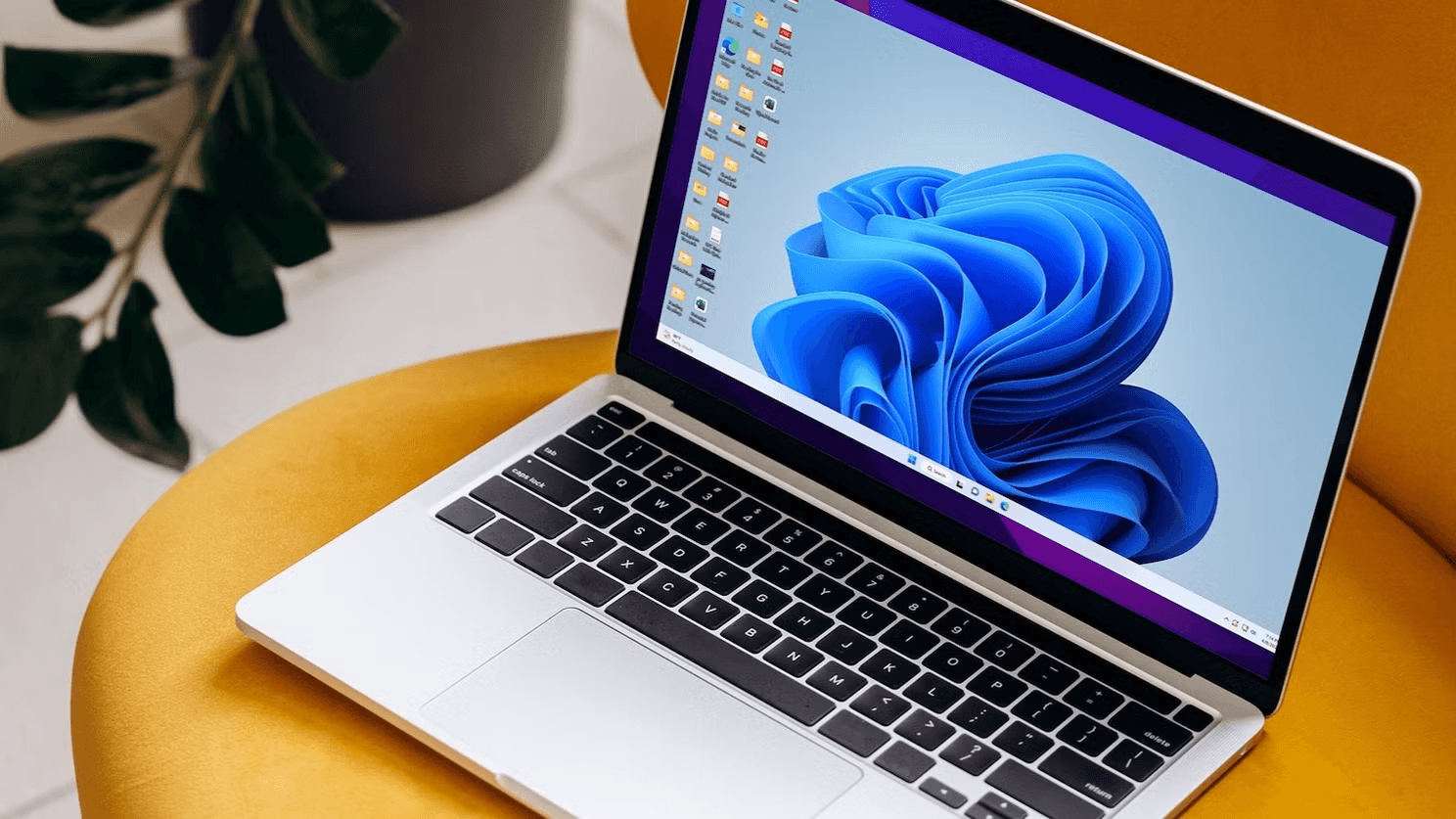
Users connect from the Windows App on their Mac, authenticate via their Microsoft account, and land on a Windows 11 desktop. From the user's side: no domain, no VPN, no Windows hardware — just a fast Windows desktop in a window on their Mac.
In Production
From proof of concept to 20+ users
The deployment started as a deliberate minimum: a single GPU VM shared by a small group of users, running at pay-as-you-go rates while the firm evaluated whether cloud desktops could actually replace local Windows workstations for this kind of work. The goal was to validate the workflow before committing to it.
It validated. The combination of GPU-accelerated session encoding and a properly sized host pool delivered an experience the team found genuinely workable for daily use. The environment was expanded to support the full distributed team — now 20+ users, with the pool sized for up to five concurrent sessions and depth-first load balancing to keep resource usage efficient. Azure reservation pricing replaced pay-as-you-go rates, reducing VM costs substantially from the evaluation period.
The Terraform codebase made the expansion straightforward: adding session hosts is a variable change and a terraform apply, not a manual provisioning process.
Outcomes
What we delivered.
- Production environment for 20+ users across a distributed, Mac-only team
- GPU-accelerated Windows 11 cloud desktops running Bluebeam Revu and Revit at full resolution
- H.264/AVC hardware-encoded RDP — GPU used for both application rendering and display stream encoding
- Entra ID-native identity — no domain controller, no VPN, no Windows hardware on premises
- Full Terraform codebase with remote state — the entire environment in source control, reproducible from scratch
- Segmented network with isolated security zone and IP-whitelisted infrastructure access
- Automated backup and recovery configuration
- User and admin documentation; training for all users
Bridge Mac and Windows
Need Windows-only software on a Mac-first team?
We build Azure virtual desktops — even GPU-powered ones — so your team runs the apps they need without changing the hardware they love. Let's talk through your setup.
Let's TalkRelated
To run Windows apps on Mac desks through the cloud, these services are the place to start:
For the concepts behind cloud desktops and identity, see our University guides on virtualization and directory services:
More cloud and cross-platform projects: